

Unified timeline
Trace logs, network calls, navigation, Redux actions, performance, storage, and errors—with saved views, bookmarks, and correlations.
Explore the timeline
PulseRN is an open-source React Native debugger for Expo and bare React Native apps. Inspect network requests, console logs, navigation, Redux actions, performance, and errors together—locally on desktop or in your browser.
Actively developed
MIT licensedDesktop · Browser · Local-firstOne debugging workspace
Stop jumping between consoles, inspectors, and scattered logs. PulseRN correlates the signals around a bug so you can understand what happened—and what happened just before it.
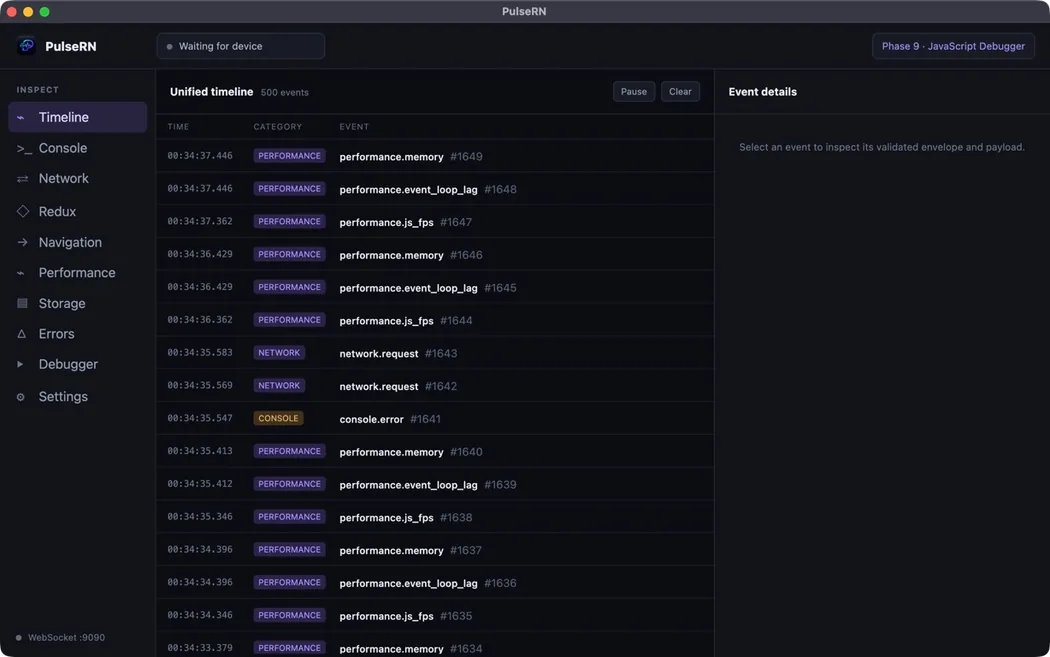
Follow interactions, navigation, requests, state, and errors in sequence.
A clearer debugging loop
Trace logs, network calls, navigation, Redux actions, performance, storage, and errors—with saved views, bookmarks, and correlations.
Explore the timeline
Debug Hermes with original TypeScript sources, breakpoints, stepping, scopes, evaluation, React components, and render profiling.
Open debugger docs
Use loopback or pair a physical device securely. Capture stays bounded, configurable, and under your control.
Connect a device
Turn errors, failed requests, state changes, navigation, performance, and transport health into deterministic findings.
Explore diagnostics
Connect Codex, Claude, Cursor, or another MCP client with read-only, debugger, or full local access.
Set up MCP
Retain large histories locally, annotate important events, and move checksummed sessions between computers.
Work with archives
From install to insight
PulseRN discovers the session and starts building the timeline.
Follow the quickstart
// Install the SDK
$ pnpm add @pulse-rn/sdk

import { PulseRN } from '@pulse-rn/sdk';

PulseRN.connect({
  appName: 'My React Native App',
  enableConsole: true,
});
No Electron installation required
With Node.js 22.5 or newer, launch the same PulseRN debugger UI locally
from the published CLI. It opens an authenticated browser session, keeps
history in local SQLite storage, and stops cleanly with
Ctrl+C.
Browser setup guide
npx @maahibhama/pulsern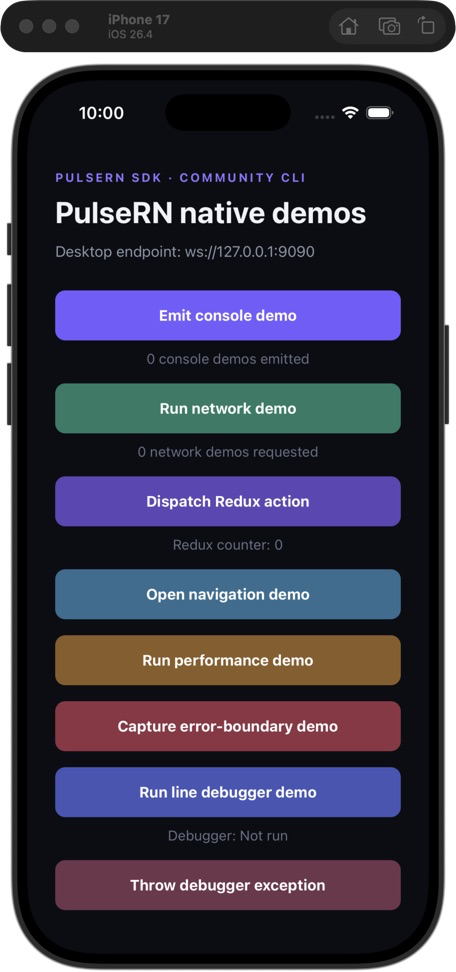
Expo and bare React Native
Start with the signals you need and expand as you debug. The SDK supports console capture, network inspection, navigation, Redux, performance measurements, storage, errors, connection health, category sampling, and persistent development identity.
Integrate the SDK
Latest desktop release
<!-- Release notes generated using configuration in .github/release.yml at v1.0.7 --> ## What's Changed ### Other changes * Feat/v19/web support by @maahibhama in https://github.com/maahibhama/PulseRN/pull/25 * fix: complete CLI release workflow by @maahibhama in https://github.com/maahibhama/PulseRN/pull/26 * Feat/v20/native logs by @maahibhama in https://github.com/maahibhama/PulseRN/pull/27 * feat: add adoption and onboarding foundation by @maahibhama in https://github.com/maahibhama/PulseRN/pull/31 **Full Changelog**: https://github.com/maahibhama/PulseRN/compare/v1.0.4...v1.0.7
Open source, built in public
Read the roadmap, report a rough edge, or contribute a focused improvement.